> ## Documentation Index
> Fetch the complete documentation index at: https://docs.rangesharp.com/llms.txt
> Use this file to discover all available pages before exploring further.
# Common Issues
> Solutions to frequently encountered problems in RangeSharp.
## Import not working
**Possible causes:**
* The text you copied isn't complete solver output — make sure you copied the full range data, not just a partial selection
* The format isn't supported on your plan — Free accounts can only paste Equilab and Flopzilla formats. Upgrade to Pro for all 7 formats
* The text format is unrecognized — check the [Supported Formats](/import-export/supported-formats) list
**What to try:**
1. Copy the solver output again, making sure to select everything
2. Try pasting in a plain text editor first to verify the content looks correct
3. If using a Pro+ format on a Free account, upgrade or use a supported format
**Possible causes:**
* The format was auto-detected incorrectly
* The solver output includes data for multiple spots mixed together
**What to try:**
1. Don't confirm the import — click Cancel
2. Make sure you're copying output for a single spot/position at a time
3. Try importing again with cleaner input
**Possible causes:**
* The file was created with a newer version of RangeSharp
* The file is corrupted
* Config import requires Pro or Elite
**What to try:**
1. Verify you're on a Pro or Elite plan
2. Try downloading the file again from the original source
3. Contact support if the problem persists
## Training not starting
**Possible causes:**
* No spot is selected in the strategy tree
* The selected spot has no range data (empty grid)
**What to try:**
1. Click on a spot in the strategy tree to select it
2. Make sure the spot has at least some cells painted with actions
3. Try pressing **⌘T** instead of clicking the button
**Possible causes:**
* The study plan has no spots
* All spots in the plan have empty ranges
* You've hit the daily training limit on the Free plan (100 hands)
**What to try:**
1. Edit the study plan and make sure it has spots assigned
2. Verify the spots have range data
3. If on Free, wait until tomorrow for the limit to reset, or upgrade to Pro
**What to try:**
1. Press **Esc** to end the session
2. Reload the page
3. Try starting the session again
## Strategies not saving
RangeSharp auto-saves after 500ms of inactivity. If changes aren't persisting:
**What to try:**
1. Check your internet connection — auto-save requires a connection
2. Wait a moment and check the save indicator in the toolbar
3. Reload the page and verify if changes were saved
4. If on a very slow connection, wait a few seconds after making changes before navigating away
**Possible causes:**
* The strategy was accidentally deleted
* The page loaded before the strategy list finished syncing
**What to try:**
1. Reload the page
2. Check if another account member deleted the strategy (if using team features)
3. The deletion cannot be undone — you'll need to recreate the strategy
## Login issues
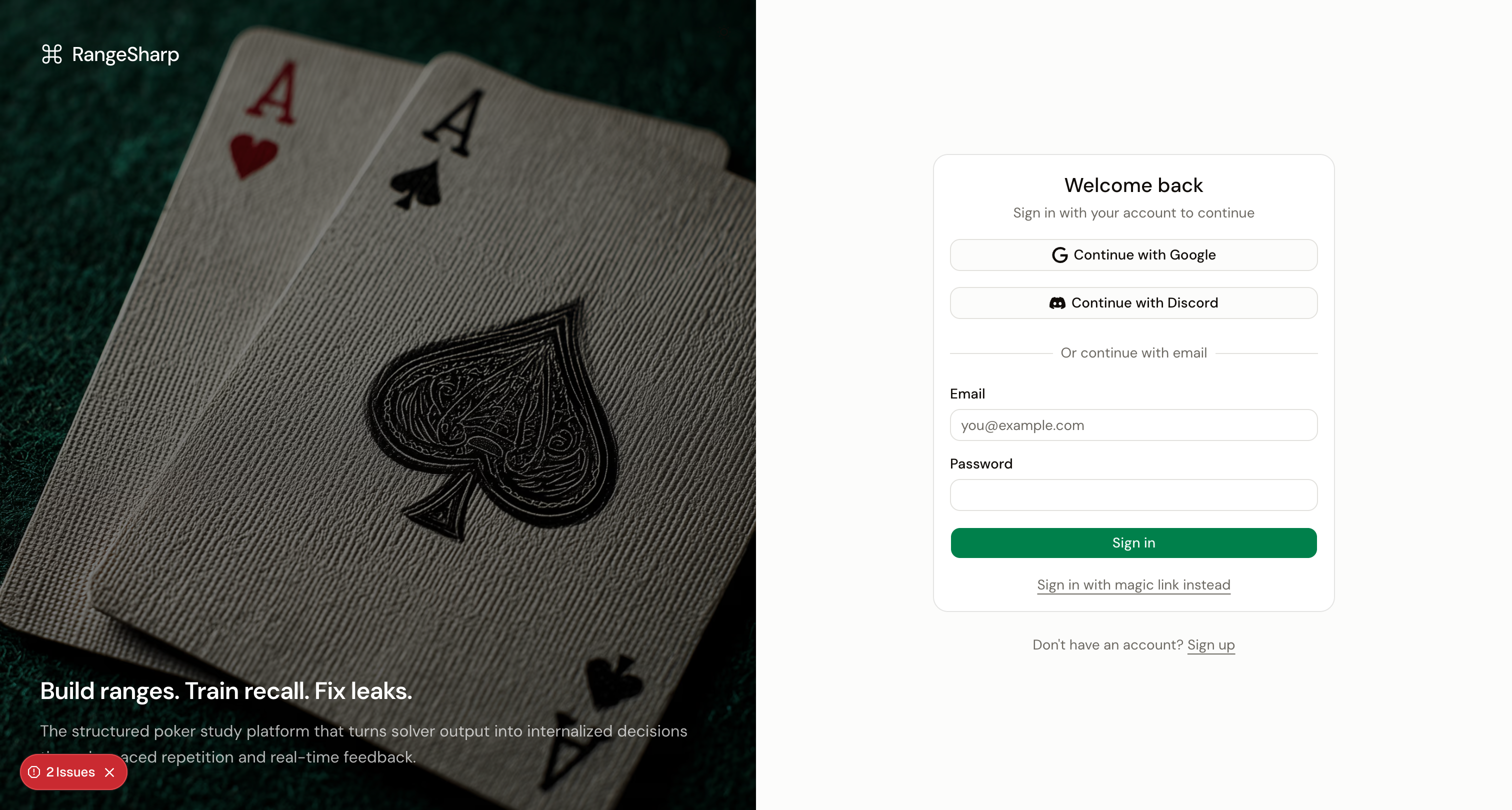 **What to try:**
1. Make sure you're using the correct email address
2. Click **Forgot Password** to reset your password
3. Check that you verified your email when you first signed up
4. Try signing in with Google or Discord if you linked those providers
**What to try:**
1. Make sure you're allowing the popup/redirect to complete
2. Clear your browser cookies for rangesharp.com and try again
3. Try a different browser to rule out extension conflicts
4. If you previously had an account with a different provider, try that provider instead
**What to try:**
1. Check your spam/junk folder
2. Wait 2–3 minutes — email delivery can sometimes be delayed
3. Try requesting another magic link
4. Make sure you entered the correct email address
## Grid display issues
The grid uses canvas rendering (Konva) which is sensitive to display scaling.
**What to try:**
1. Zoom your browser to 100% (**⌘0** or **Ctrl+0**)
2. Try a different browser (Chrome and Firefox have the best canvas support)
3. Make sure your display scaling is set to 100% or 200% (not 125% or 150%)
**What to try:**
1. Resize the browser window — the grid scales with available space
2. Try collapsing the left or right panels to give the grid more room
3. Check **Settings → Preferences** for grid size options
## Performance issues
**What to try:**
1. Close other browser tabs to free up memory
2. Clear your browser cache for rangesharp.com
3. Make sure your browser is up to date
4. RangeSharp works best on Chrome, Firefox, or Edge
## Still need help?
If your issue isn't listed here, [contact support](/troubleshooting/contact-support).
**What to try:**
1. Make sure you're using the correct email address
2. Click **Forgot Password** to reset your password
3. Check that you verified your email when you first signed up
4. Try signing in with Google or Discord if you linked those providers
**What to try:**
1. Make sure you're allowing the popup/redirect to complete
2. Clear your browser cookies for rangesharp.com and try again
3. Try a different browser to rule out extension conflicts
4. If you previously had an account with a different provider, try that provider instead
**What to try:**
1. Check your spam/junk folder
2. Wait 2–3 minutes — email delivery can sometimes be delayed
3. Try requesting another magic link
4. Make sure you entered the correct email address
## Grid display issues
The grid uses canvas rendering (Konva) which is sensitive to display scaling.
**What to try:**
1. Zoom your browser to 100% (**⌘0** or **Ctrl+0**)
2. Try a different browser (Chrome and Firefox have the best canvas support)
3. Make sure your display scaling is set to 100% or 200% (not 125% or 150%)
**What to try:**
1. Resize the browser window — the grid scales with available space
2. Try collapsing the left or right panels to give the grid more room
3. Check **Settings → Preferences** for grid size options
## Performance issues
**What to try:**
1. Close other browser tabs to free up memory
2. Clear your browser cache for rangesharp.com
3. Make sure your browser is up to date
4. RangeSharp works best on Chrome, Firefox, or Edge
## Still need help?
If your issue isn't listed here, [contact support](/troubleshooting/contact-support).