
The Home dashboard
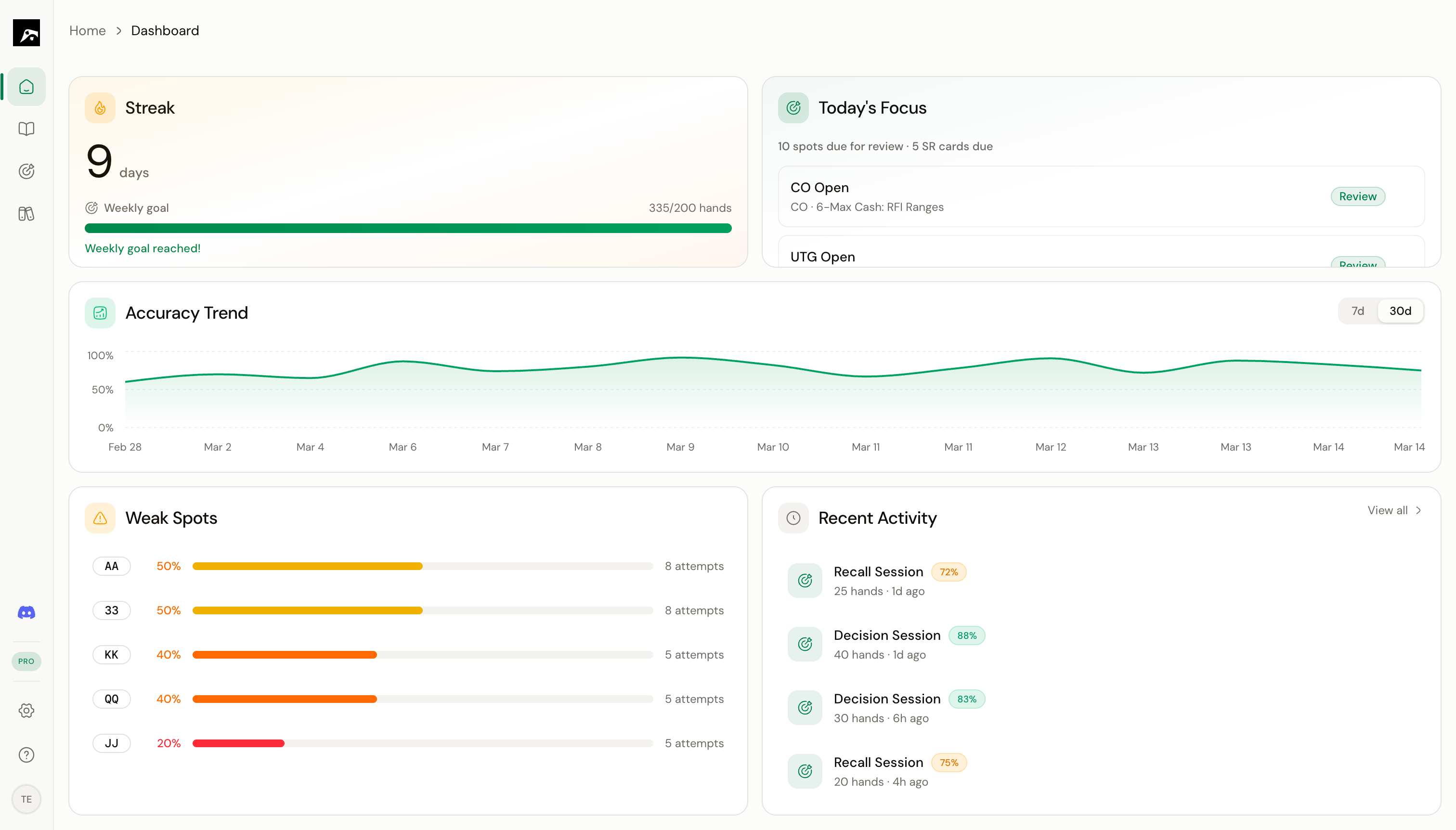
Dashboard widgets
The dashboard is built from five widgets:Study Streak
Shows your current training streak and weekly study progress. How many consecutive days have you trained?
Accuracy Trend
A 7-day rolling chart of your training accuracy. See whether you’re improving, plateauing, or declining.
Weak Spots
Lists the spots where your accuracy is lowest. These are the areas that need the most attention.
Today's Focus
AI-recommended spots plus spaced repetition cards that are due for review today.
Recent Activity
Your most recent training sessions with quick stats.
Using the dashboard effectively
The dashboard is designed to answer one question: “What should I study right now?” Here’s a suggested daily routine:1
Check your streak
See if you’ve maintained your daily streak. This is a simple motivator to keep training.
2
Look at Today's Focus
The recommended spots are based on your spaced repetition schedule and recent performance. Start your session here.
3
Review your weak spots
If you have time after completing Today’s Focus, work on the spots where your accuracy is lowest.
4
Check the accuracy trend
Are you improving overall? If your accuracy is flat or declining, consider slowing down and focusing on fewer spots.