
Sign up for RangeSharp
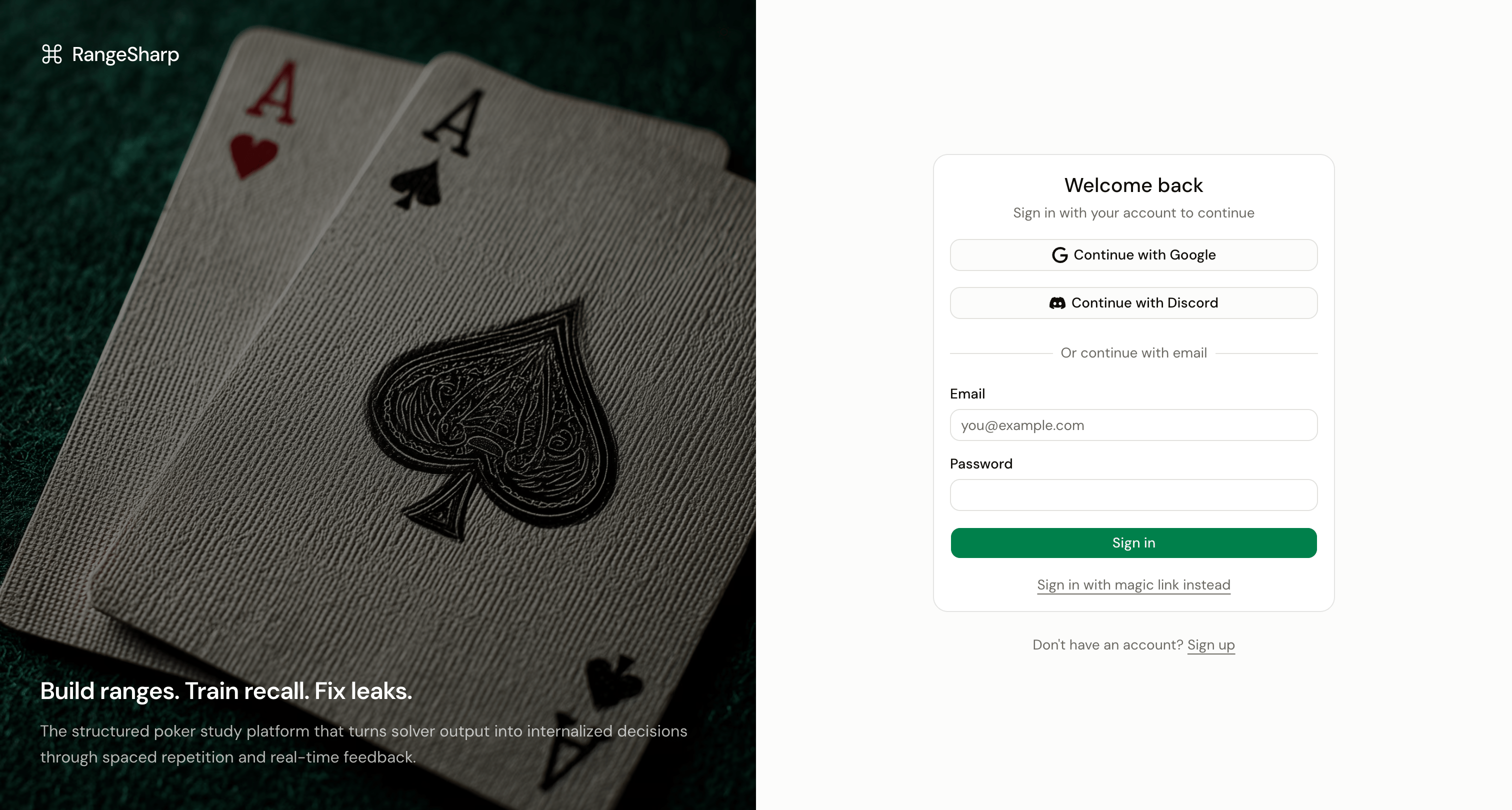
- Email and password — The standard sign-up flow
- Google — One-click sign-up with your Google account
- Discord — Sign up with your Discord account
- Magic link — Receive a sign-in link via email (no password needed)
Sign up with email
1
Go to the sign-up page
Visit app.rangesharp.com and click Sign Up.
2
Enter your details
Provide your name, email address, and a password.
3
Verify your email
Check your inbox for a verification email and click the confirmation link.
4
Start using RangeSharp
You’re in. RangeSharp takes you to the Home dashboard where you can start building strategies or exploring the Library.
Sign up with Google or Discord
1
Click the social login button
On the sign-up page, click Continue with Google or Continue with Discord.
2
Authorize RangeSharp
Grant RangeSharp permission to access your basic profile information.
3
You're in
RangeSharp creates your account automatically and takes you to the Home dashboard.
Use a magic link
If you prefer not to set a password:1
Click Magic Link on the sign-in page
Enter your email address and click Send Magic Link.
2
Check your email
Open the link in the email you receive. It signs you in immediately.